Manage Your Account and Settings
The Admin section serves as your account management centre, including both communications and settings management. This area helps you stay connected with important updates and maintain control over your account security and preferences.
Agents need to manage their account settings and stay informed about important updates. The Admin section gives you tools to control your notifications, manage your account security, and make sure you never miss critical communications.
What is Admin? The Admin section is your account management hub, offering notification control, security settings, account information, and communication preferences to help you stay organised and secure.
What You Can Achieve
Manage your account:
| Account Management | Communication Control | Security Settings |
|---|---|---|
| View account information | Manage notifications | Update password security |
| Keep details current | Receive important alerts | Protect your account |
Understanding the Admin Interface
The Admin section is divided into two main areas to help you manage your account:
- Notifications: Your in-app communication centre
- Settings: Account information and security management
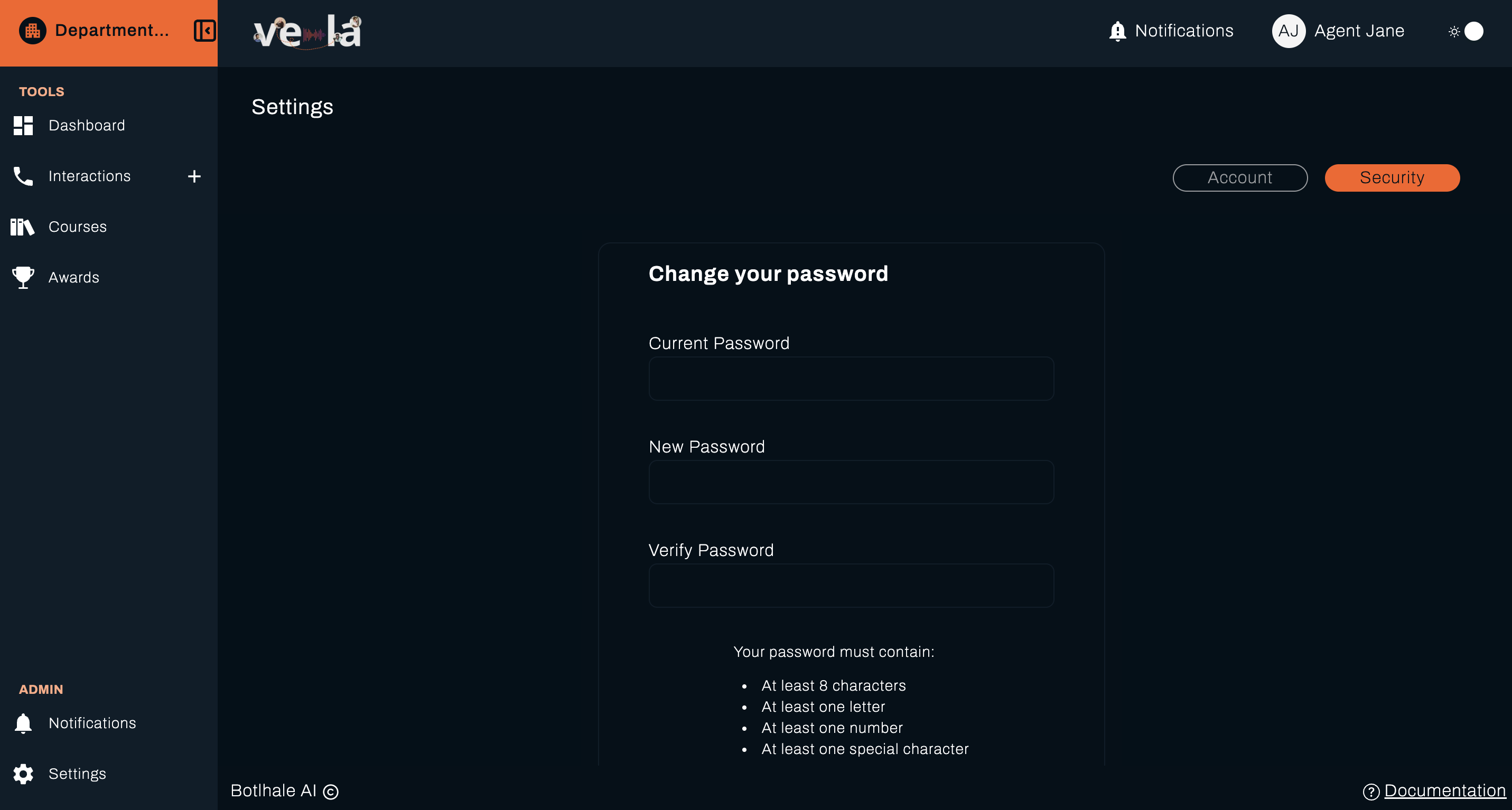
💡 Tip: Regular account management helps you stay secure and ensures you receive important updates about your training and performance.
Managing Notifications
The Notifications tab acts as your in-app communication centre where you can view messages, updates, and alerts sent through the system. This ensures you never miss critical updates or important communications from your team.
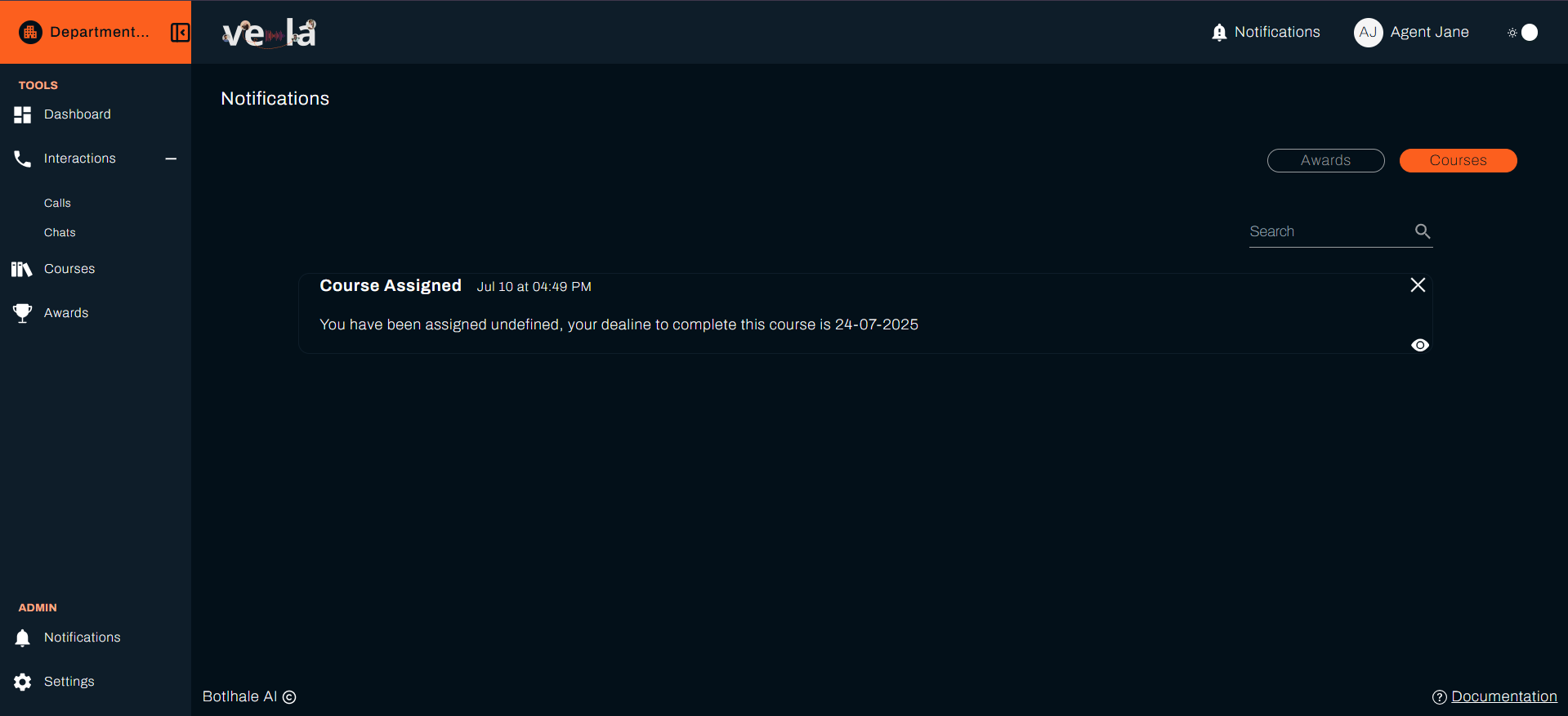
Why this matters: Staying informed about important updates helps you respond quickly to new training assignments, performance feedback, and organisational changes.
Managing Settings
The Settings tab allows you to view and manage your account information, ensuring your account remains secure and up to date with current details.
Account Information

View your basic account information:
- Full Name: Your full name
- Email: Your email address
- Current Organisation: Your assigned organisation
- Current Team: Your current assigned team
💡 Pro Tip: Keep your account information current to ensure you receive the right training assignments and performance updates for your role.
Password Management
Keep your account secure with strong password controls:
Change Password
- Enter your current password for verification
- Create a new strong password following these requirements:
- Minimum 8 characters
- Include uppercase and lowercase letters
- Include at least one number
- Include at least one special character
- Confirm your new password
- Click Save to apply changes
Why this matters: Strong password security protects your personal information and ensures only you can access your performance data and training records.
Password Security Tips
- Use a unique password not used elsewhere
- Consider using a password manager
- Update your password regularly (every 90 days recommended)
- Never share your password with colleagues
- Log out from shared computers
💡 Tip: Regular password updates and strong security practices help protect your account and maintain the confidentiality of your performance data.
What's Next?
Now that you can manage your account, explore these related guides:
- 📊 Monitor Your Dashboard - Track your overall performance
- 📚 Track Your Courses - Continue your learning journey
- 🏆 View Your Awards - Celebrate your achievements
- 📞 Review Your Interactions - Analyse your performance
Need Help?
Stuck with account management? We're here to help!
- 📖 Dashboard Guide - Monitor your overall performance
- 📖 Course Tracking Guide - Continue your learning journey
- 📖 Awards Guide - Celebrate your achievements
Still need assistance?
- Email us: support@botlhale.ai
Was This Guide Helpful?
We're constantly improving our documentation. Let us know how we can make this guide better for you and your team.
Keep Your Account Secure: Regularly review and update your account settings to maintain security and ensure you receive important communications. Contact your Team Lead or QA support if you experience any issues with your account.