Track Your Learning Journey
Manage and monitor your training progress with ease. The Courses section shows all your assigned training materials, ongoing courses, and completed certifications in one organised place.
We know agents want to develop their skills and advance their careers. That's where the Courses section comes in. We provide the tools you need to access training materials, track your progress, and demonstrate your learning achievements.
What are Your Courses? The Courses section is where you access your training materials, track your progress, complete assessments, and develop the skills you need to excel in your role.
What You Can Achieve
Track your learning progress:
| Course Management | Progress Tracking | Skill Development |
|---|---|---|
| View all assigned courses | Monitor completion status | Track skill improvements |
| Access training materials | Track quiz results | Identify learning gaps |
| Complete assessments | Review performance feedback | Celebrate achievements |
Understanding Your Courses Interface
Your courses are organised by status to help you prioritise your learning activities and focus on what matters most:
- All Courses: Complete view of every course available to you
- Assigned: New courses that have been assigned to you
- In Progress: Currently active courses you're working on
- Completed: Successfully finished courses with your results
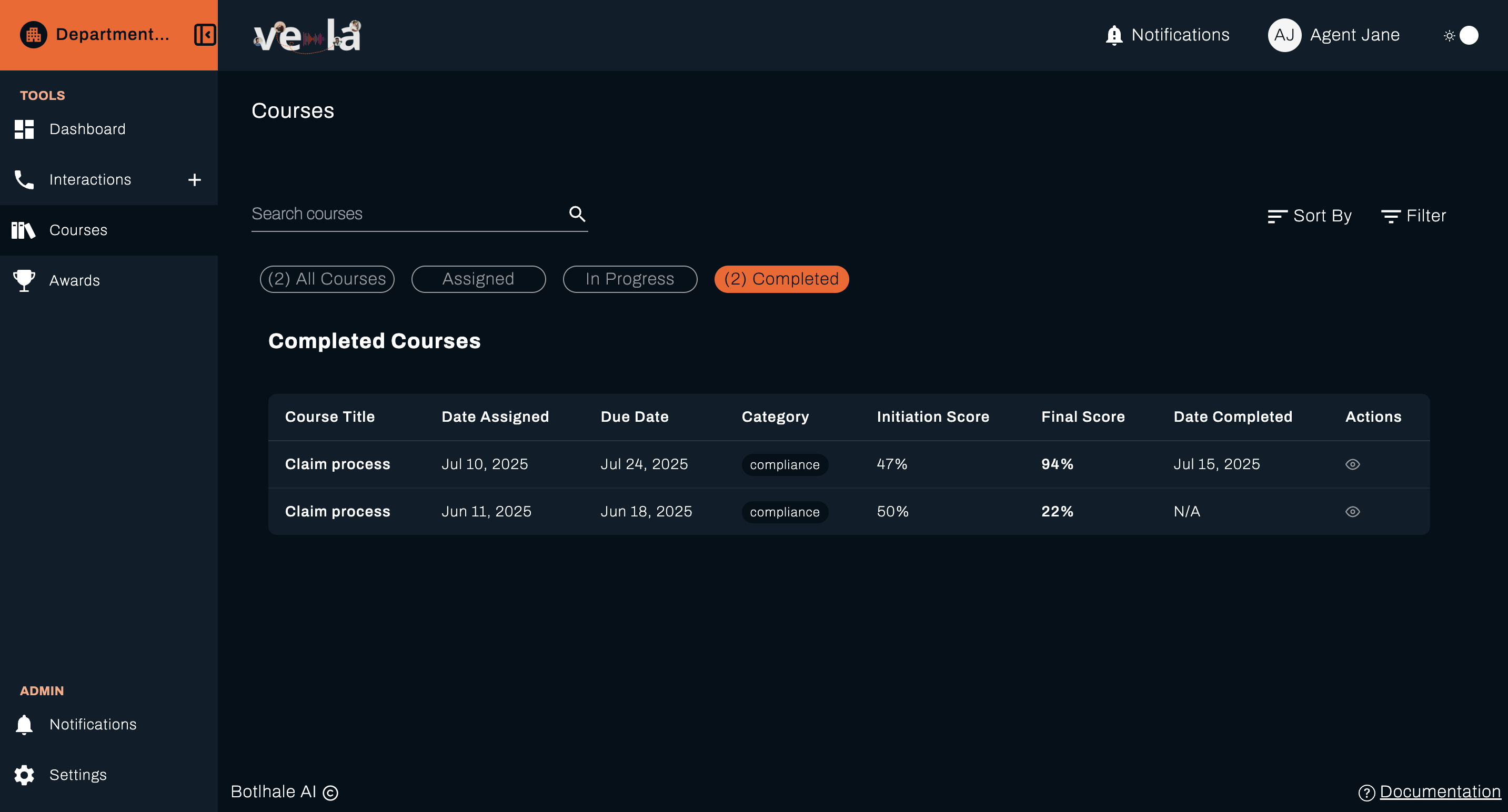
💡 Tip: Use the status filters to focus on courses that need your immediate attention, helping you stay organised and meet deadlines.
Course Table View
All completed courses are presented in a detailed table format that includes:
| Column | Description |
|---|---|
| Course Title | Name of the course or training module |
| Date Assigned | When the course was assigned to you |
| Due Date | Deadline for course completion |
| Category | Course type (e.g., Customer Service, Compliance) |
| Initiation Score | Your baseline score before starting the course |
| Final Score | Your score after completing the course |
| Date Completed | When you successfully finished the course |
| Actions | Available actions for each course |
This layout makes it easy to track where you are in your learning journey and how you've performed over time.
Why this matters: Understanding your learning progress helps you identify your strengths, track improvement, and plan your development path.
Finding Your Courses
Quick Search
Use the search bar at the top left of the Courses section to quickly find any course by name. Simply type the course title to locate specific course and its material.
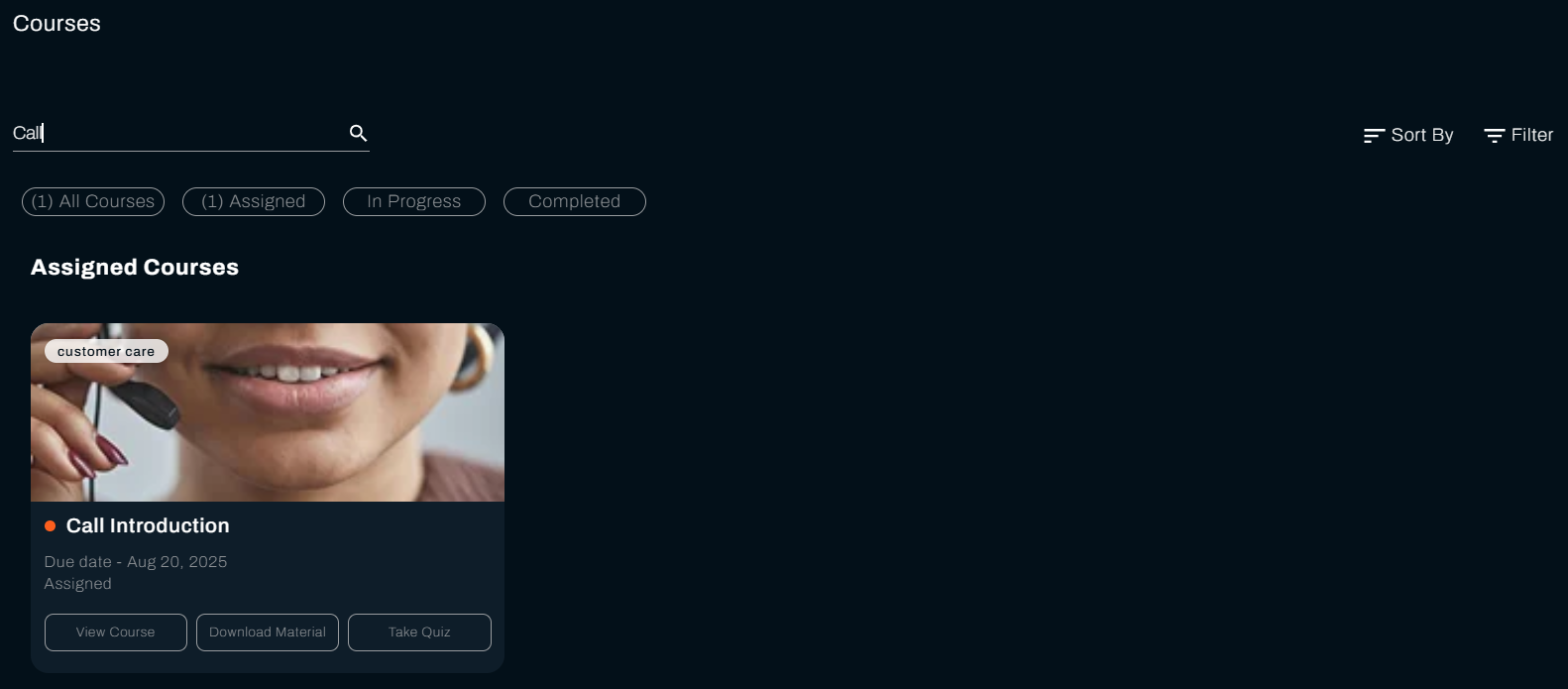
💡 Pro Tip: Use the search function to quickly locate courses when you have many training assignments, saving you time and helping you stay organised.
Filtering and Sorting Options
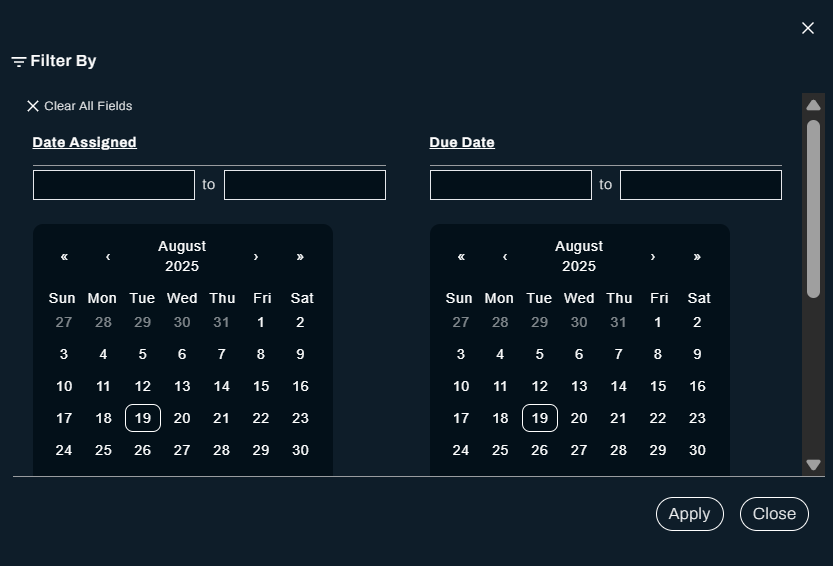
Filter your courses by:
- Date Assigned: See courses by date assigned
- Due Date: See courses by their deadlines
- Category: View courses by category
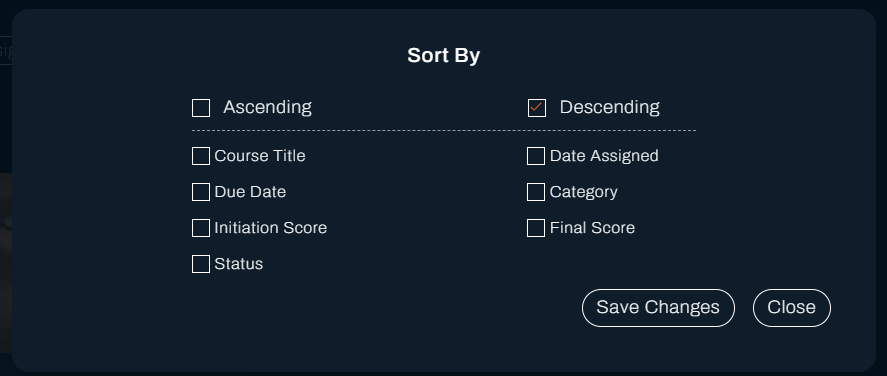
Sort your courses by ascending or descending order by:
- Course Title, Due Date, Initiation Score, Status, Date Assigned, Category, Final Score
Why this matters: Effective filtering and sorting help you prioritise your learning activities and focus on courses that need immediate attention.
Course Actions
For each course in your list, you'll see action buttons that allow you to:
View Course Details
Click View Course Details to open a detailed view of the course where you can:
- Review course objectives and learning outcomes
- Check your progress and completion status
- Access course materials and resources
- View quiz results and feedback
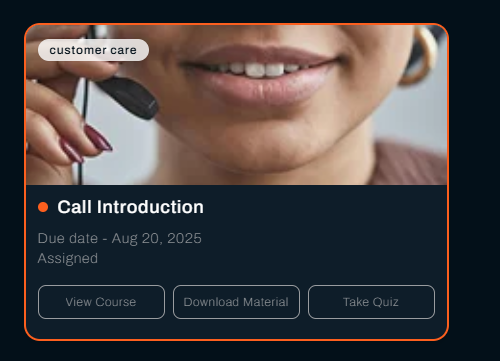
💡 Tip: Always review course details before starting to understand what you'll learn and how it will help you improve your performance.
Access Course Materials
PDF Materials
When course material is a PDF:
- Click View Material
- The file will download directly to your device
Why this matters: Easy access to training materials ensures you can learn at your own pace and review content as needed to improve your understanding.
What's Next?
Now that you can track your learning journey, explore these related guides:
- 📊 Monitor Your Performance - Track how training impacts your performance
- 🏆 View Your Achievements - Celebrate your learning accomplishments
- 📞 Review Your Interactions - Analyse how training improves your customer service
- ⚙️ Manage Your Settings - Customise your learning experience
Need Help?
Stuck with your courses? We're here to help!
- 📖 Dashboard Guide - Learn about monitoring your performance
- 📖 Awards Guide - Understand your learning achievements
- 📖 Interaction Analysis Guide - Review your performance insights
Still need assistance?
- Email us: support@botlhale.ai
Was This Guide Helpful?
We're constantly improving our documentation. Let us know how we can make this guide better for you and your team.