Track Learning Progress and Development
Keep track of how your team is learning and growing. The Progress section shows you who's completing their training, who might be falling behind, and how well your coaching programmes are working.
As a team lead, you want to make sure everyone is developing the skills they need. The Progress section gives you the visibility to see what's working and where agents might need extra help.
What is Progress Tracking? The Progress section shows you how your team is learning. You can see who's finished their courses, who's still working on them, and who hasn't started yet. This helps you spot problems early and give people the support they need.
What You Can Achieve
With the Progress section, you can:
Track Learning Progress
- See who's completed their courses
- Spot people who are falling behind
- Identify who needs extra help
Monitor Team Development
- Watch how skills improve over time
- See which training programmes work best
- Track completion rates across your team
Improve Performance
- Find coaching opportunities
- Adjust training based on results
- Help your team grow faster
Understanding the Progress Interface
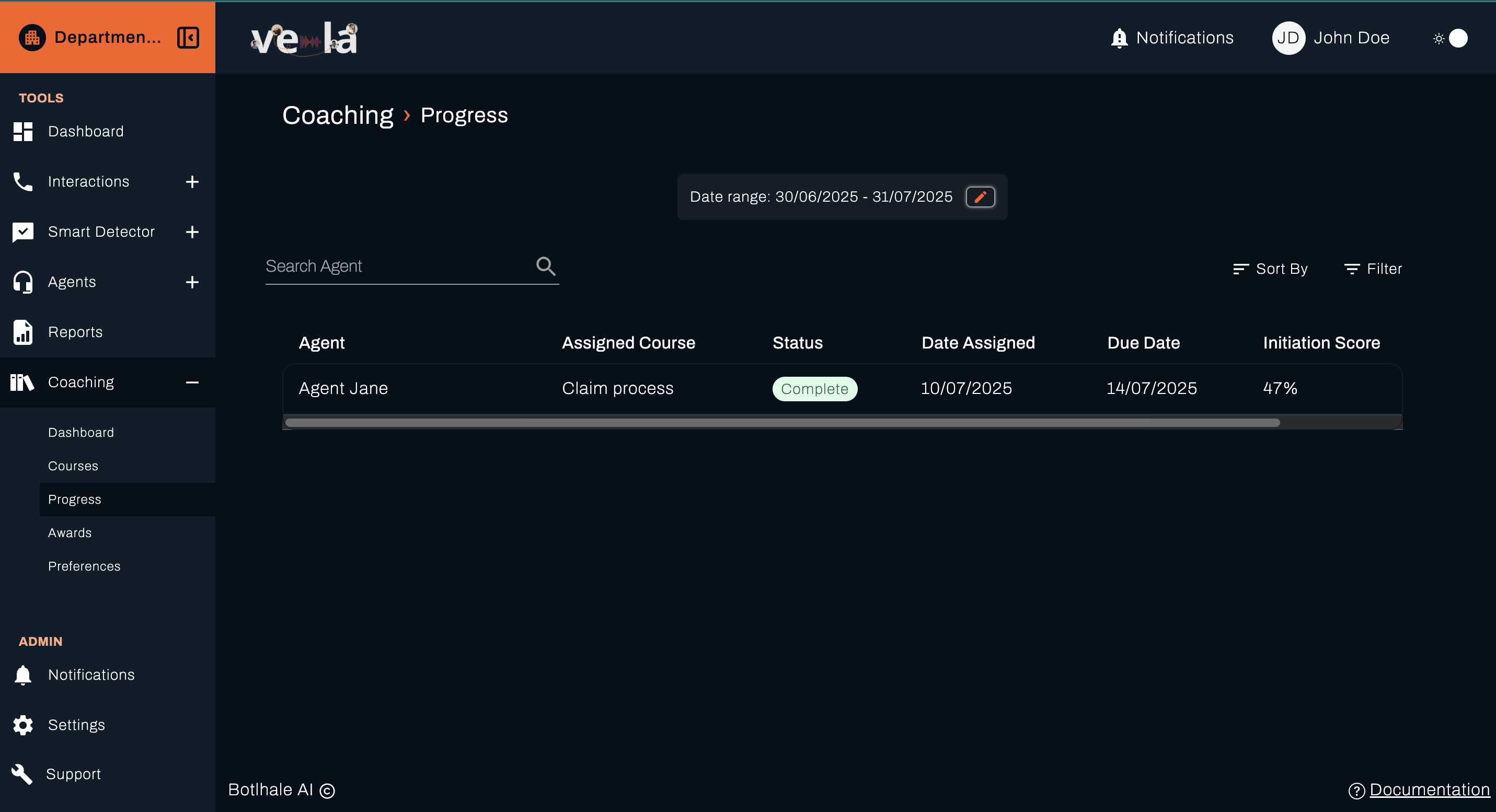
The Progress dashboard shows you what's happening with your team's learning:
- Monitor individual agent progress across assigned courses
- Track completion statuses and performance trends
- Identify agents who may need additional support
- Analyse team-wide learning effectiveness
💡 Tip: Check your progress dashboard regularly. It's easier to help someone who's just starting to fall behind than someone who's been struggling for weeks.
Progress Dashboard Features
The progress dashboard has several features to help you manage your team's learning.
Date Range Filter
The Date Range filter at the top lets you look at progress over different time periods:

Date Range Filter (continued)
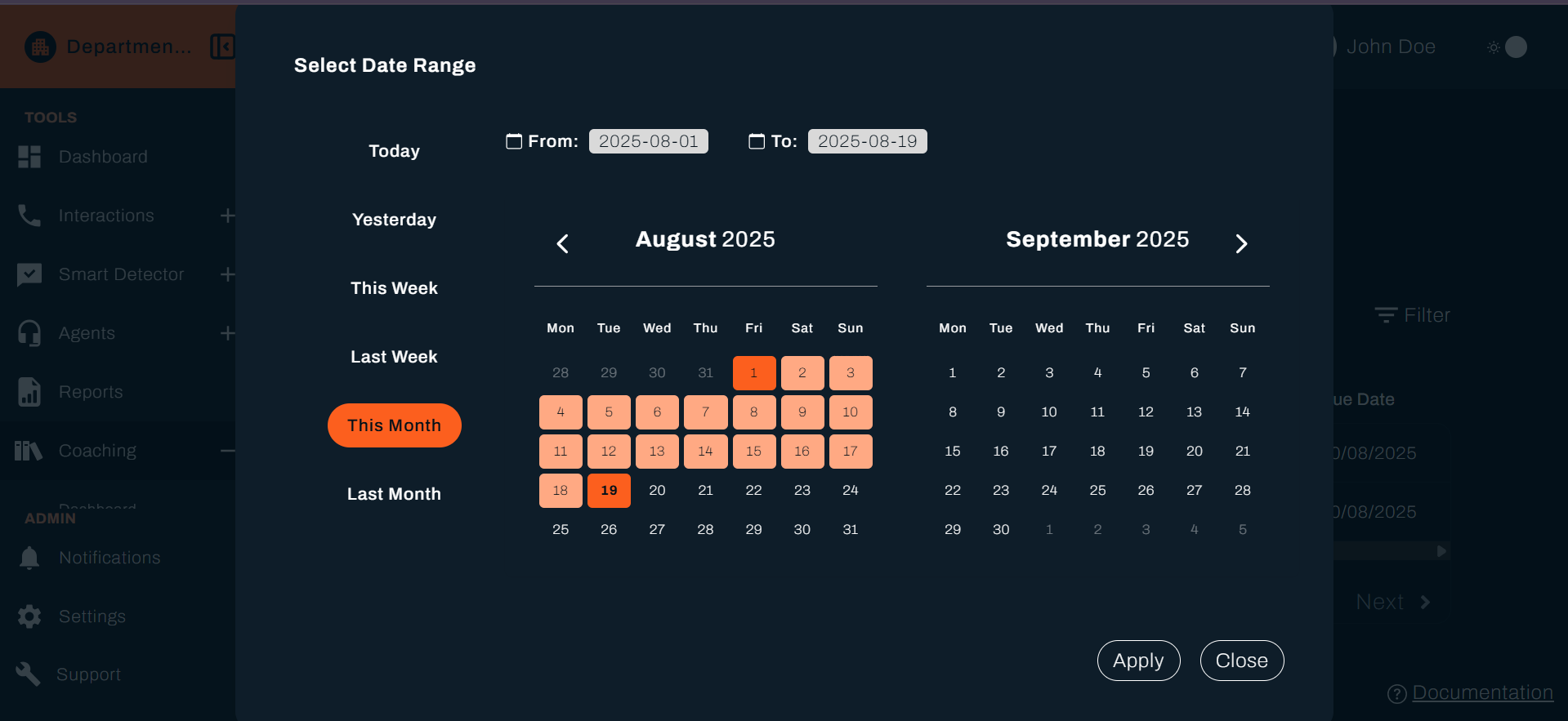
- Custom Date Range: Select start and end dates (e.g., "30/06/2025 - 31/07/2025")
- Quick Filters: Choose from preset options for common time periods
- Live Updates: All progress data automatically updates when you change the date range
Why this matters: Different time periods show you different things. Weekly views help you spot immediate problems, while monthly views show you bigger trends.
Sort By and Filter Controls
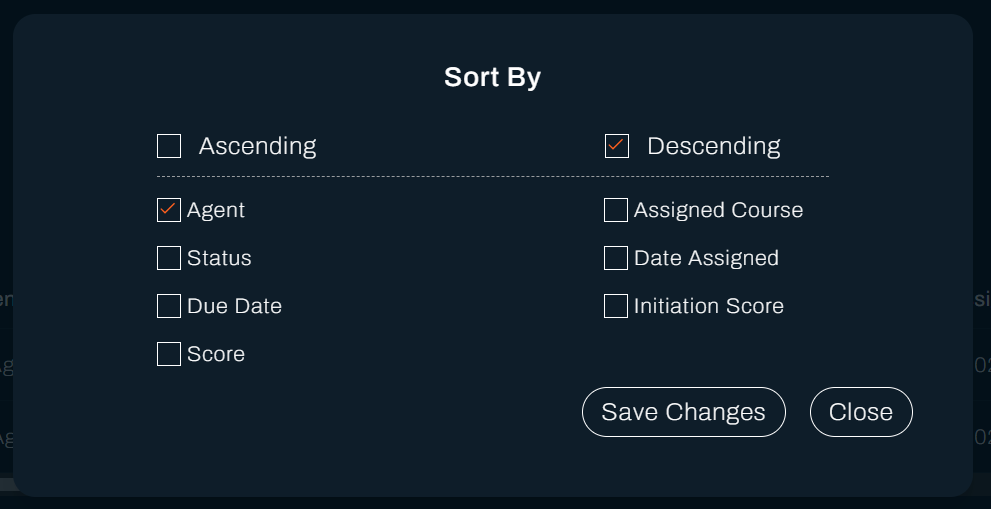
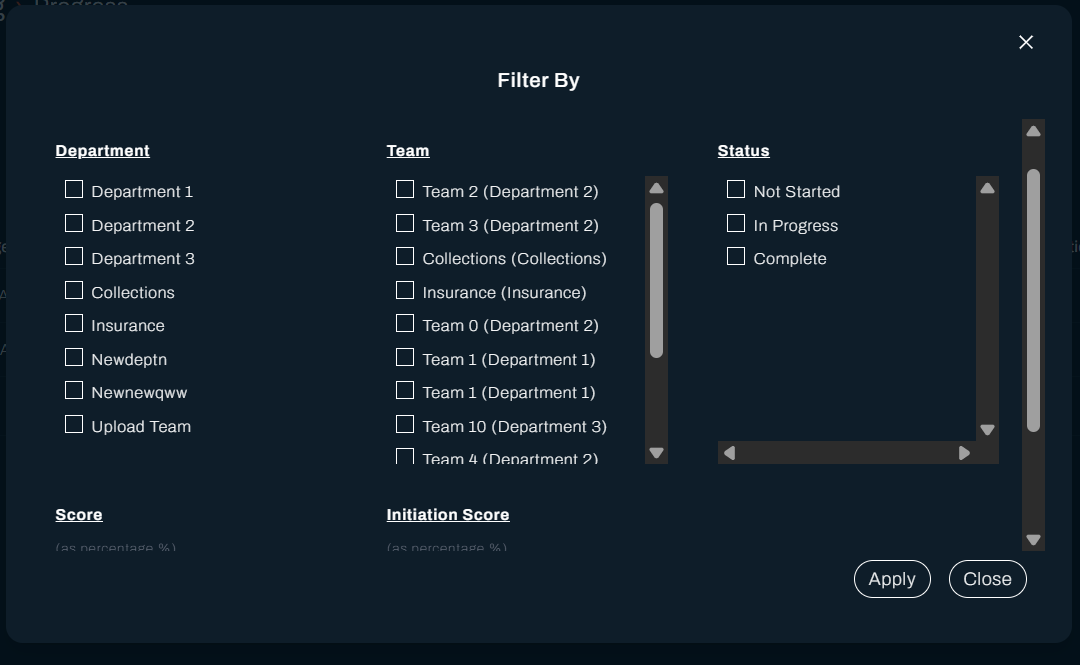
You'll find Sort By and Filter options in the top right:
- Sort By: Organise data by different criteria (Agent, Course, Status, Date, etc.)
- Filter: Apply specific filters to narrow down the displayed results
💡 Pro Tip: Sort by status to quickly see who hasn't started their courses yet. These are the people who probably need a gentle reminder.
Agent Progress Table
The main table shows you all the important details about your team's progress:
| Column | Description |
|---|---|
| Agent | Agent name (e.g., "Agent Jane") |
| Assigned Course | Course title (e.g., "Claim process") |
| Status | Current completion status with colour-coded indicators |
| Date Assigned | When the course was assigned (e.g., "10/07/2025") |
| Due Date | Course completion deadline (e.g., "14/07/2025") |
| Initiation Score | Agent's baseline score before starting (e.g., "47%") |
| Score | Current or final assessment score |
Why this matters: This information helps you understand each person's situation. Someone with a low initiation score might need extra help, while someone with a high score might be ready for more challenging material.
Status Indicators
Each course has a status that's easy to spot with colour coding:
- Complete - Shown with green status indicator for successfully finished courses
- In Progress - Yellow/orange indicator for courses currently being worked on
- Not Started - Grey indicator for assigned but not yet begun courses
💡 Tip: Green means good to go, yellow means they're working on it, and grey means they haven't started yet. Focus on the grey ones first.
Analysing Progress Data
Performance Tracking
Look at how people are improving. Compare their initial scores with their final scores to see how much they've learned. Watch for trends in how long it takes people to complete courses, and check if everyone is meeting their deadlines.
Why this matters: This helps you see which training programmes actually work and which ones might need improvement.
Progress Monitoring
Keep an eye on people who are getting close to their deadlines. Look for courses that lots of people are struggling with. Monitor how quickly your team is learning overall.
💡 Pro Tip: Regular progress analysis helps you spot patterns and adjust your training strategies to get better results.
Using Progress Data for Coaching
Identifying Support Needs
Use your progress data to spot who needs help. Look for people who are behind schedule, getting low scores, or haven't started their courses yet.
Why this matters: The earlier you spot someone who needs help, the easier it is to get them back on track.
Improving Your Training
Use what you learn from progress data to make your training better. Look for courses that lots of people struggle with and adjust them. Give people more time if they need it, or offer extra help for difficult content. Don't forget to celebrate when people do well!
💡 Pro Tip: Use progress data to keep improving your training programmes so they work better for your team.
What's Next?
Now that you can track learning progress, explore these related guides:
- 📊 Monitor Your Dashboard - Track overall team performance trends
- 📚 Manage Training Courses - Create and adjust courses based on progress insights
- 🏆 Recognise Achievements - Reward agents for excellent progress and completion
- 📞 Review Interactions - Analyse how training impacts performance
Need Help?
Stuck with progress tracking? We're here to help!
- 📖 Dashboard Guide - Learn about monitoring overall performance
- 📖 Course Management Guide - Create effective training programmes
- 📖 Awards Guide - Recognise learning achievements
Still need assistance?
- Email us: support@botlhale.ai
Was This Guide Helpful?
We're constantly improving our documentation. Let us know how we can make this guide better for you and your team.