Recognise and Reward Excellence
Build a culture of recognition that motivates your team to excel. The Awards section lets you create meaningful recognition programmes that celebrate achievements and drive continuous improvement.
Team leads want to keep their agents motivated and engaged. The Awards section gives you tools to recognise excellence, celebrate achievements, and create a positive culture that improves performance and retention.
What are Awards? The Awards section is your recognition command centre, offering award creation, achievement tracking, certificate generation, and motivation tools to help you build a culture of excellence.
What You Can Achieve
Create recognition programmes that inspire your team:
| Award Creation | Recognition Management | Performance Motivation |
|---|---|---|
| Design meaningful awards | Track recognition patterns | Boost team morale |
| Set clear achievement criteria | Monitor award distribution | Encourage excellence |
| Celebrate diverse achievements | Analyse recognition trends | Drive continuous improvement |
Understanding the Awards System
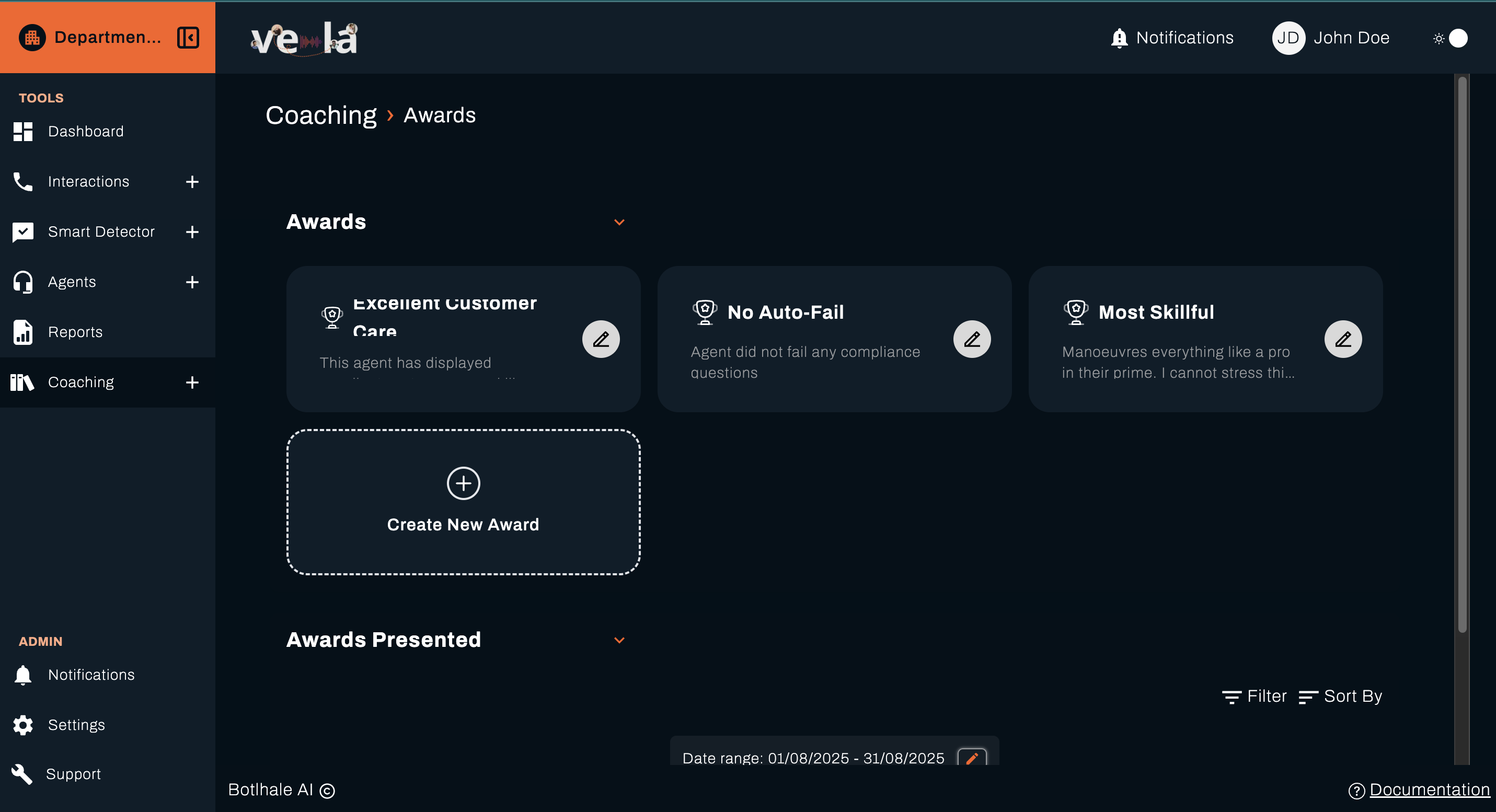
The Awards Management system is divided into two main sections to help you create and track recognition easily:
- Awards: View and manage your collection of created awards
- Awards Presented: Track and manage awards that have been given to agents
💡 Tip: The dual-section approach helps you separate award design from award distribution, making it easier to manage your recognition programmes.
Creating and Managing Awards
The Awards section displays your collection of pre-created awards, showing their descriptions and criteria. This section includes several pre-built award types to get you started.
Example Awards
- Excellent Customer Care: Recognition for agents who display exceptional customer service skills
- No Auto-Fail: Awarded to agents who maintain compliance without any auto-fail incidents
- Most Skillful: Recognition for agents who demonstrate superior skills and expertise across all areas
Why this matters: Pre-built awards provide a foundation for recognition programmes while allowing you to customise awards that match your team's specific goals and values.
Creating New Awards
To create a custom award for your team, click the Create New Award button in the Awards section.
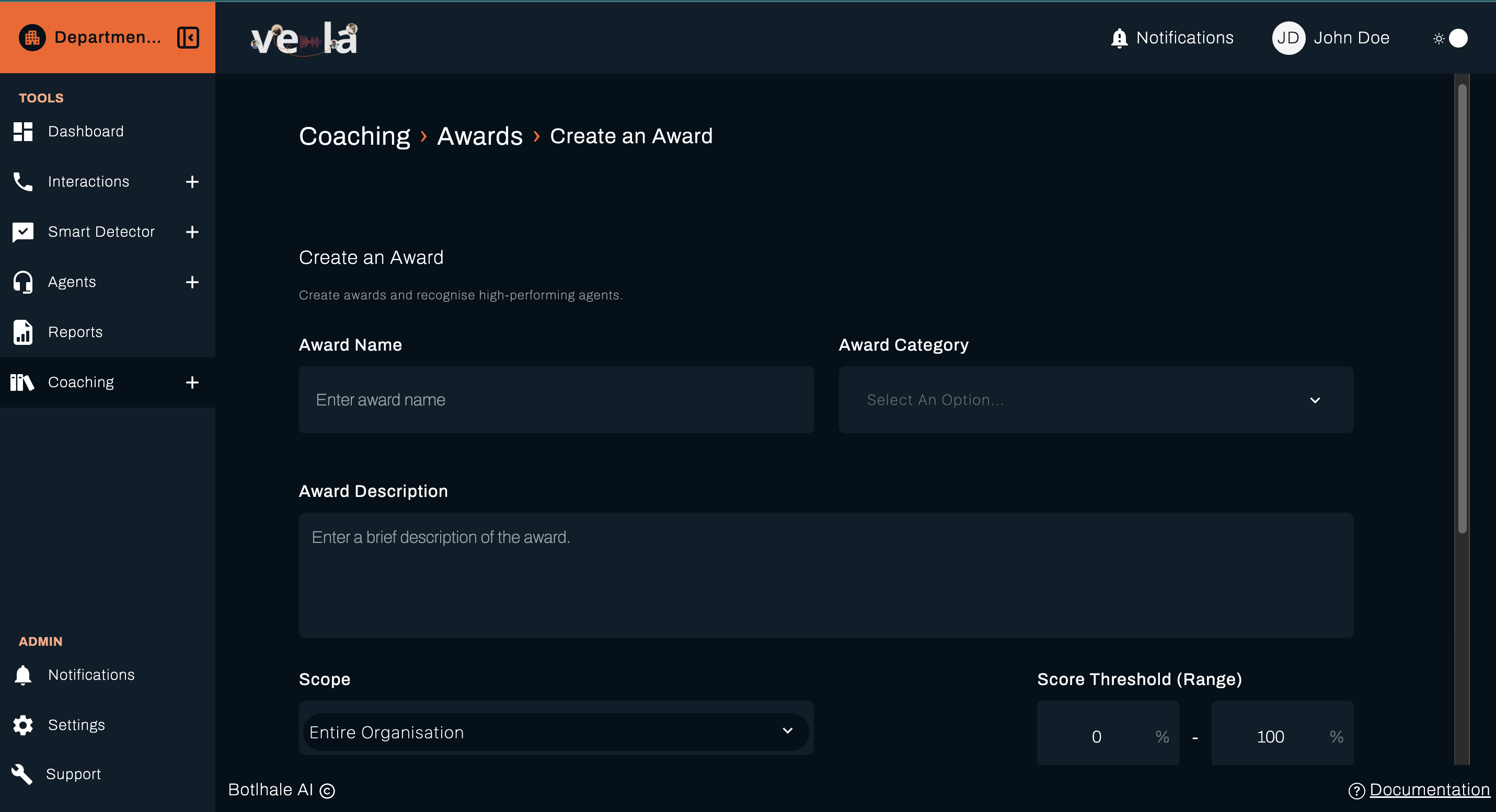
Step 1: Award Details
Complete the award creation form with the following information:
Award Name: Enter a clear, descriptive name for your award
Award Category: Select from the dropdown menu to categorise your award
Award Description: Enter a brief description explaining what this award recognises and the criteria for earning it
Scope: Select who is eligible for this award:
- Entire Organisation: Available to all agents across the organisation
- Specific Departments: Limit to selected departments
- Specific Teams: Restrict to particular teams
Score Threshold (Range): Set the performance score range required to earn this award:
- Minimum score: Set the lower threshold (e.g., 80%)
- Maximum score: Set the upper threshold (e.g., 100%)
- This determines the performance level required to automatically qualify for the award
💡 Pro Tip: Set realistic but challenging thresholds that motivate improvement while remaining achievable for your team.
Step 2: Award Message
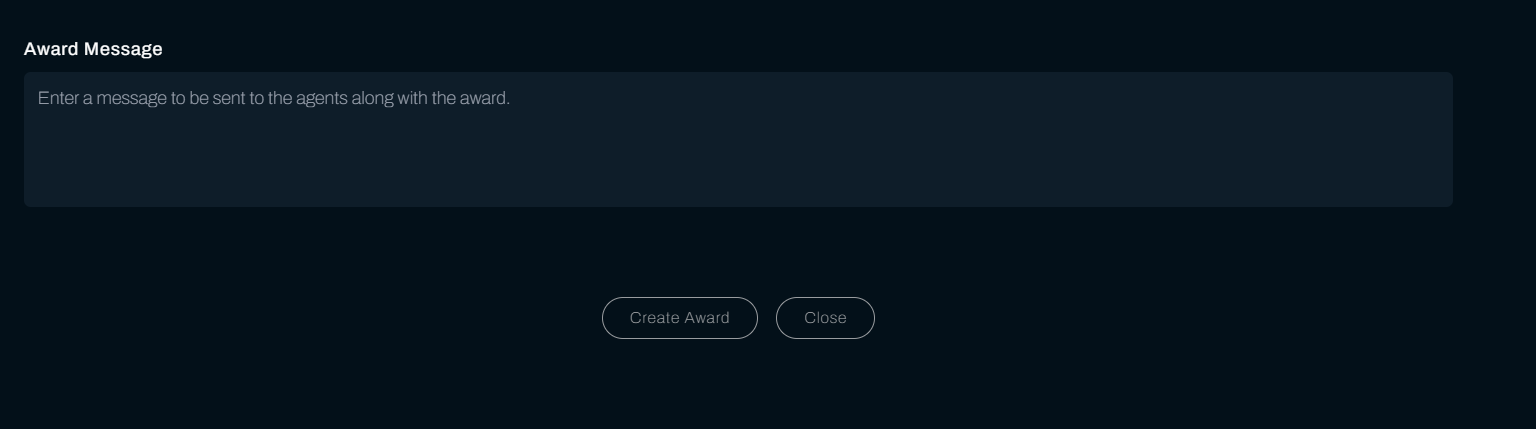
Award Message: Enter a personalised message that will be sent to agents along with their award:
- Congratulatory message
- Specific achievements being recognised
- Encouragement for continued excellence
- Any additional recognition or benefits
Why this matters: Personalised messages make awards feel more meaningful and help agents understand exactly what they've achieved and why it matters.
Step 3: Create Award
Once you've completed both sections:
- Review all the information for accuracy
- Click Create Award to save and activate the award
- Click Close to cancel without saving
The new award will be added to your Awards and will be available for automatic or manual distribution based on your criteria.
💡 Tip: Take time to review your award details before creating - well-designed awards can significantly impact team motivation and performance.
Tracking Awards Presented
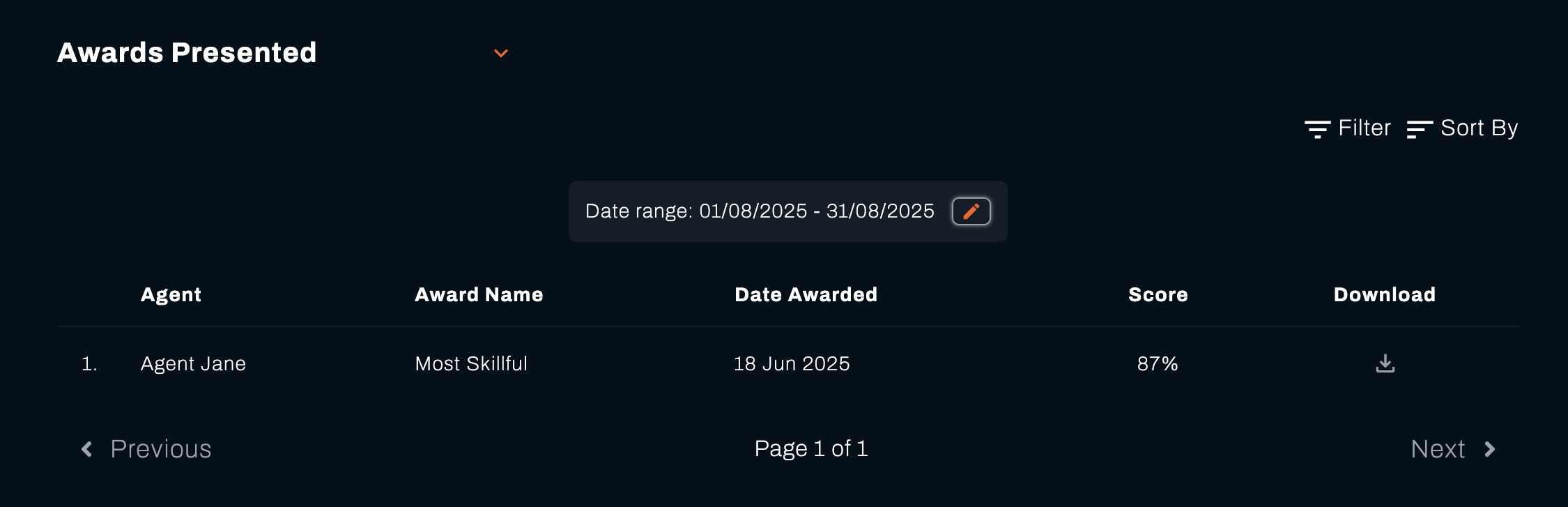
The Awards Presented section shows all awards that have been given to your team members, helping you understand recognition patterns and celebrate achievements.
Awards Table
The awards table displays detailed information about each award given:
| Column | Description |
|---|---|
| Agent | Name of the agent who received the award |
| Award Name | Title of the award presented |
| Date Awarded | When the award was given to the agent |
| Score | The performance score that earned the award |
| Download | Option to download the award certificate |
Why this matters: Tracking awarded recognition helps you identify top performers, understand achievement patterns, and ensure fair distribution across your team.
Filtering and Search Options
Date Range Filter
Use the date range selector to view awards within specific time periods:
- Select custom start and end dates (e.g., "01/08/2025 - 31/08/2025")
- Quick filters for common periods (Last week, Last month)
- Real time updates as you adjust the date range
Filter Options
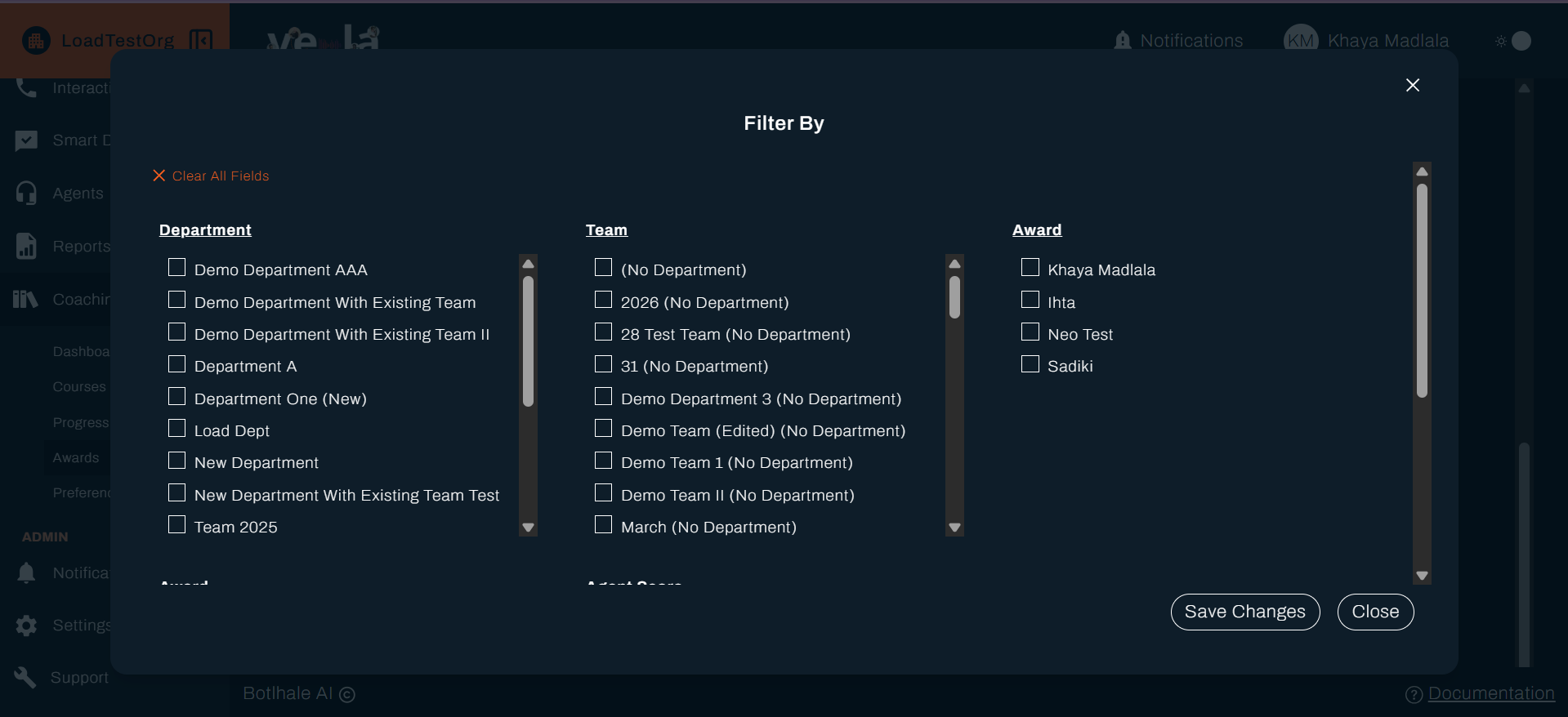
Apply additional filters to narrow down the awards view and focus on specific recognition patterns.
Sort Options
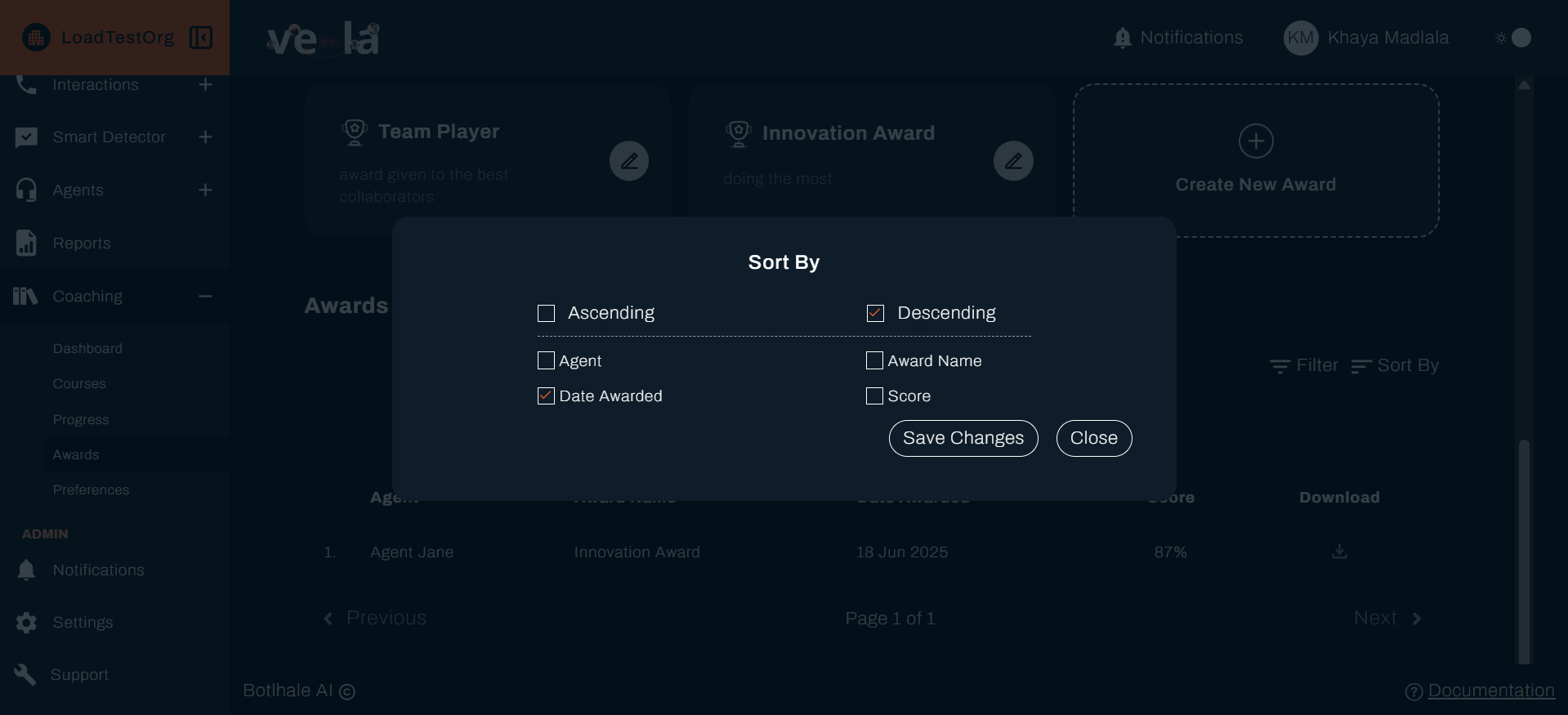
Sort the awards table by the attributes present on table to identify trends and patterns.
💡 Tip: Use filters and sorting to analyse recognition distribution and ensure all team members have opportunities to earn awards.
Award Management Actions
Download Certificates
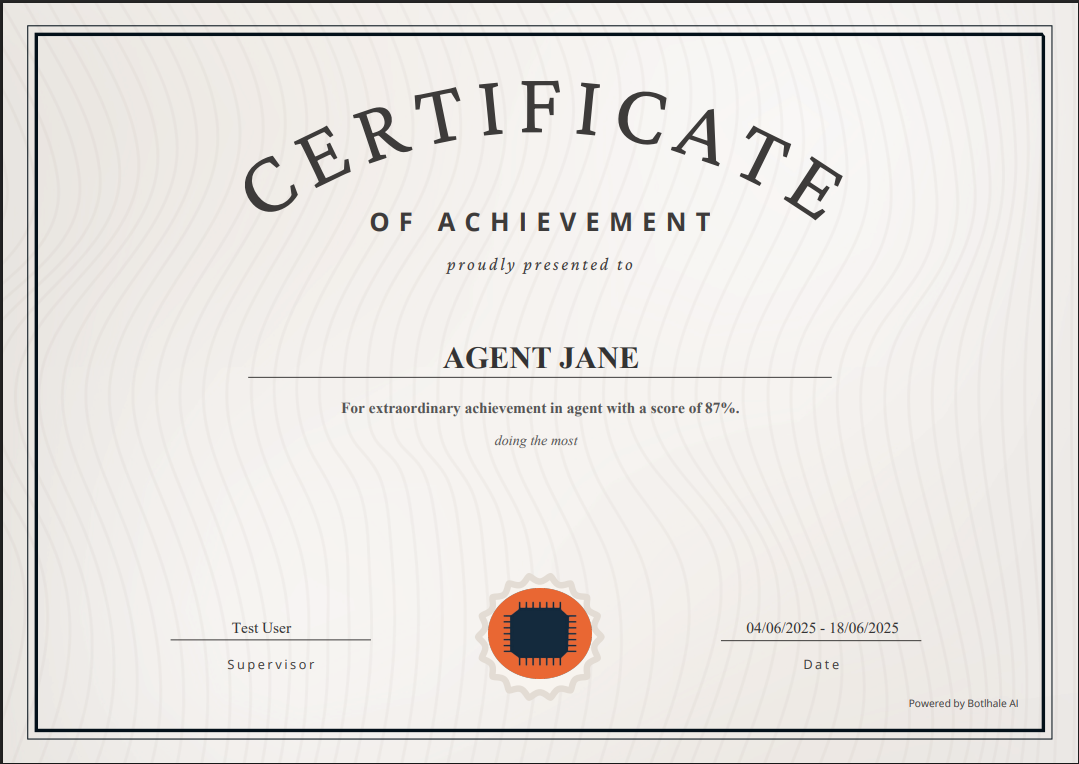
- Click the download icon to get a PDF certificate for any award
- Certificates include agent details, award information, and official branding
- Use for record-keeping or formal recognition ceremonies

Why this matters: Professional certificates provide tangible recognition that agents can keep, share, and use for career development.
Certificate Sample
What's Next?
Now that you can create and manage awards, explore these related guides:
- 📊 Monitor Progress - Track how recognition impacts performance
- 📚 Manage Courses - Create training programmes that lead to awards
- 📞 Review Interactions - Analyse performance that earns recognition
- 📈 Check Your Dashboard - Monitor overall recognition effectiveness
Need Help?
Stuck with award creation? We're here to help!
- 📖 Progress Tracking Guide - Learn about monitoring recognition patterns
- 📖 Course Management Guide - Create training that leads to awards
- 📖 Dashboard Guide - Monitor overall recognition effectiveness
Still need assistance?
- Email us: support@botlhale.ai
Was This Guide Helpful?
We're constantly improving our documentation. Let us know how we can make this guide better for you and your team.
Build Recognition Culture: Good award programmes boost team morale and performance. Use the analytics features to improve your recognition strategy and create a culture of excellence that keeps everyone motivated.